
Merge Cases
Users may merge multiple cases when they are related or involve the same customer. This is especially helpful when one case has been escalated to a different queue.
Merging cases allows Supervisors and Managers to review all relevant information in one place. Access to merged cases is limited to users who have permission for the associated queues.
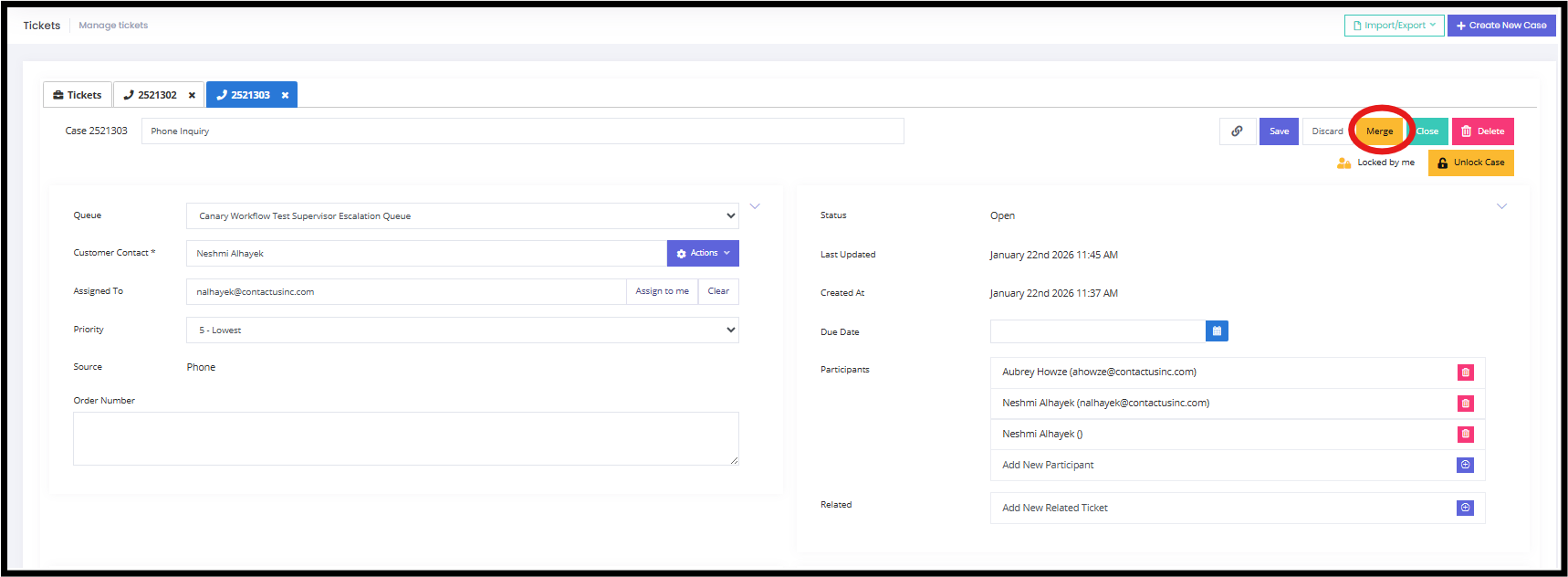
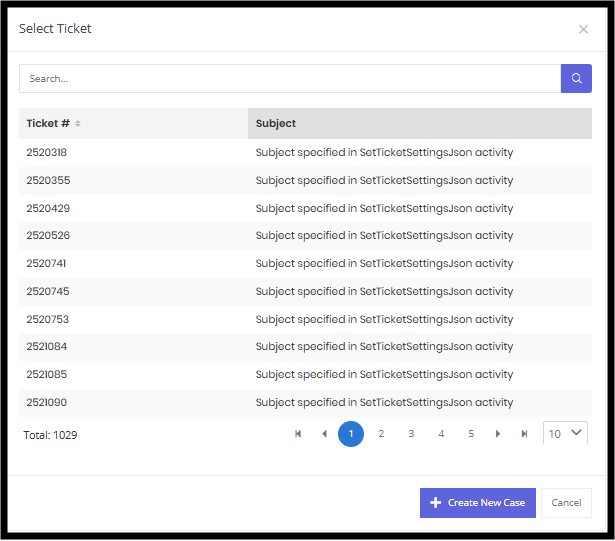
A small sub-window will appear over the Manage Tickets screen, prompting the user to select a case to merge with the primary case. Users can view the ticket number and subject to help identify the correct case. A search option is also available to narrow the results.
After selecting a case to merge, it will display next to the primary case. A confirmation pop-up will appear in the bottom-right corner of the screen.
Users can also unmerge cases. A confirmation pop-up will appear in the bottom-right corner once the action is completed.
Updated 9 months ago