
Edit Queue: Channels
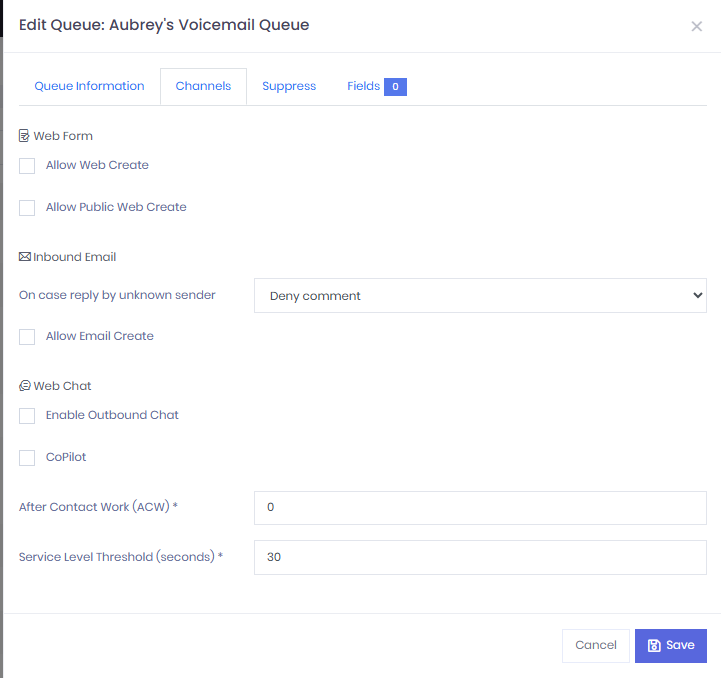
From the Edit Queue: Channels Tab
Allow Web Create : Users are able to create a case on website
Allow Public Web Create : Users are able to use Customer Support Portal to Submit cases
Allow Email Create : Users are able to send emails to customer contact upon new comments placed on related cases or responses to customer replies.
Enable Outbound Chat : Allows user to send a link for an outbound chat via Web.
Copilot : When enable this function is opens a sub window for a chatbot primarily used to look up procedures and policies to help the user.
After Contact work (A.C.W) : This is a work state users are placed in after completing a interaction. The timer can be change depending on users needs.
Service Level Threshold : This is a time measurement used to set the baseline for acceptable and unacceptable call handling performance. (Ex. If the Service Level is set to 30 seconds, An incoming interaction must be answered when 30 seconds. anything after that threshold would result in a negative performance.)
Updated 8 months ago