
Settings > Transcription Test
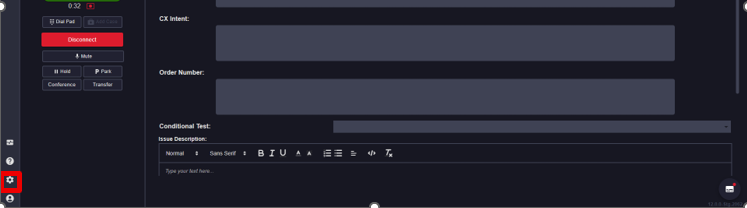
Selecting the Setting icon on the bottom left corner will open up a sub-menu.
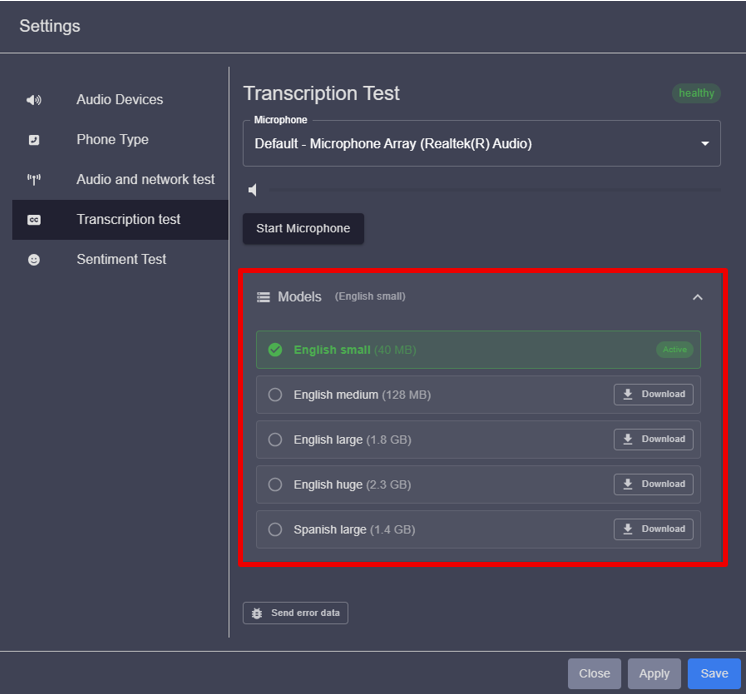
Within the Transcription Test sub-menu, users can configure the microphone input, review the transcription models in use, and verify the health of the transcription connection
Please Note:
Small models are well suited for lightweight or limited tasks, particularly in mobile applications, and are also recommended for desktop use. A typical small model is approximately 50 MB in size and requires about 300 MB of memory at runtime. These models generally support dynamic vocabulary reconfiguration.
Large models are designed for high-accuracy transcription on the server. They use more advanced AI algorithms and may require up to 16 GB of memory at runtime. Unlike small models, large models use a static vocabulary that cannot be modified during runtime.
Updated 10 months ago