
Transcription Permission Via User Role
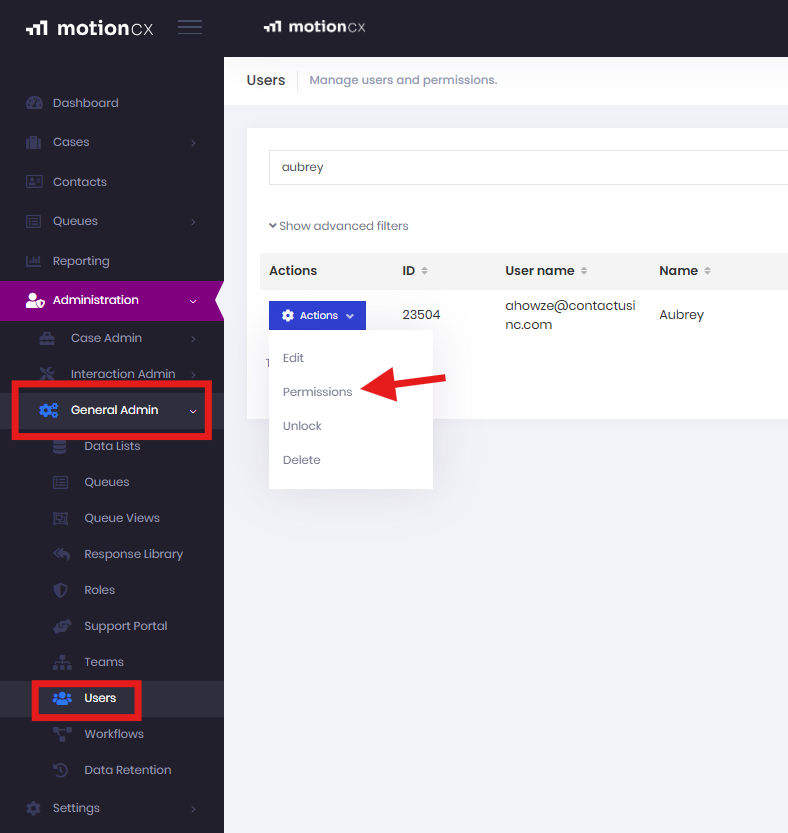
Open the Administration tab and select General Admin from the dropdown. Next, choose Users. Find the appropriate user, click the Actions button, and select Permissions.
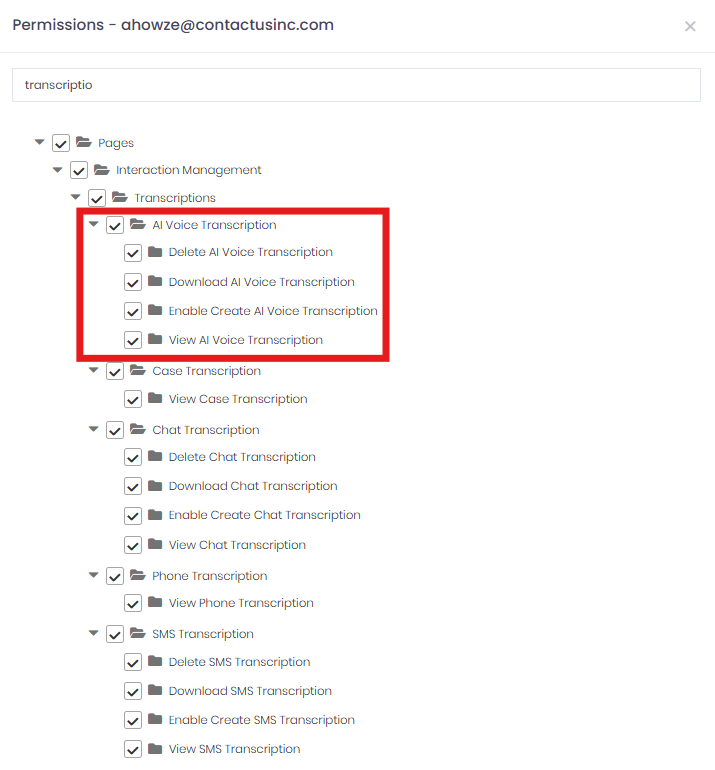
In the Permissions section, use the search bar to locate AI Voice Transcriptions. Administrators can control the level of access and the actions a user is allowed to perform.
Updated 9 months ago
Did this page help you?