
Recordings
To access the Recordings tab, open the Interaction Admin drop-down menu and select Recordings at the bottom of the list. This page allows authorized users to search for and play back previously recorded interactions.
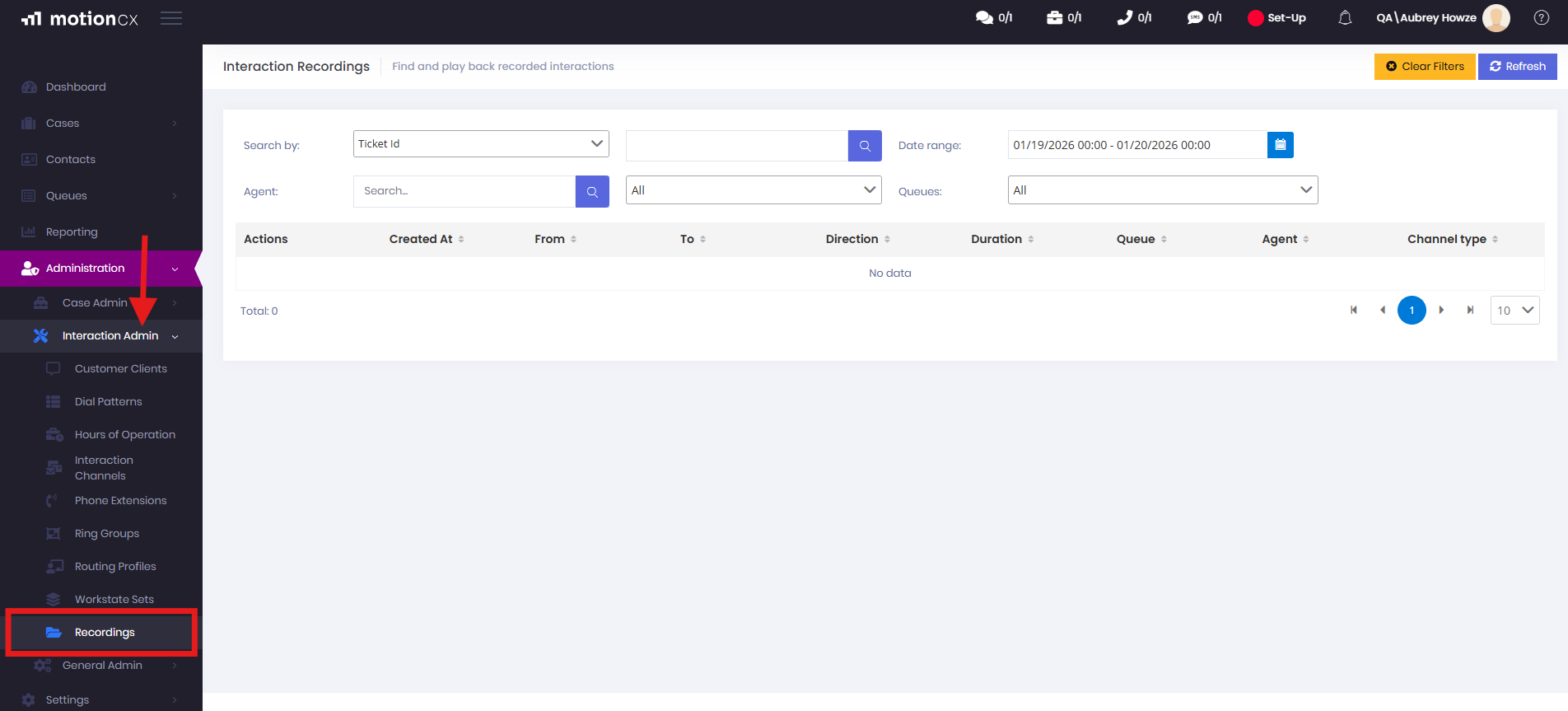
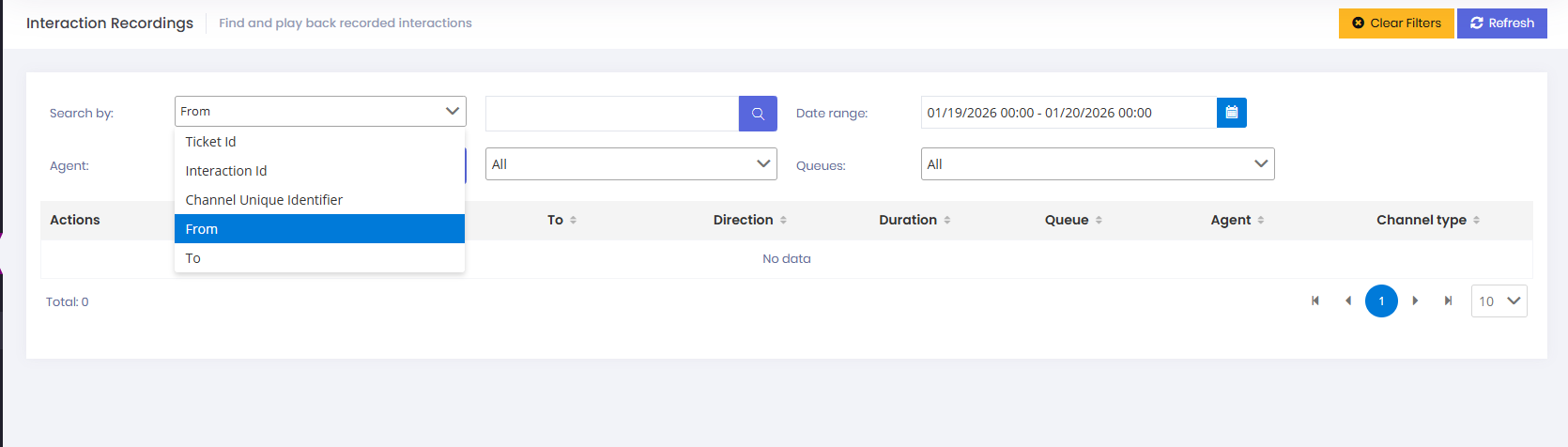
From this page, users can search for previous interaction recordings by date and time. Recordings can also be located using a Ticket ID, Interaction ID, Channel Unique Identifier, or the agent’s name.
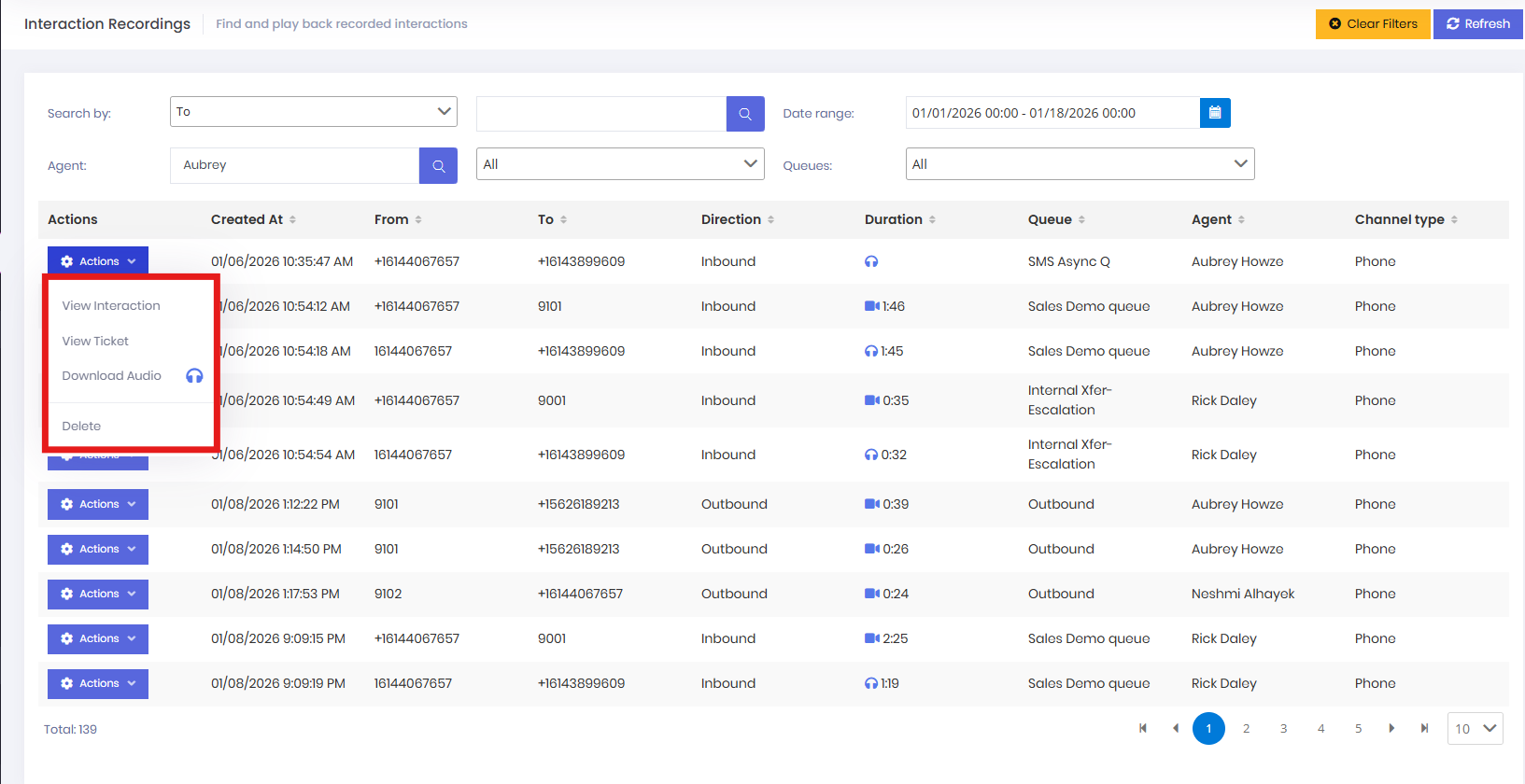
Once the recordings are displayed and the desired recording is identified, users can further filter results by direction (Inbound or Outbound), duration, queue, or channel type. Users with the appropriate permissions can view the interaction, view the associated ticket, download the audio, or delete the recording.
Updated 9 months ago